/logo.webp)

What is Kling AI?
Kling is Kuaishou's video generation model family. Kling O3 and O3 Pro generate short cinematic shots from text and images and are popular for AI short drama and music video work.
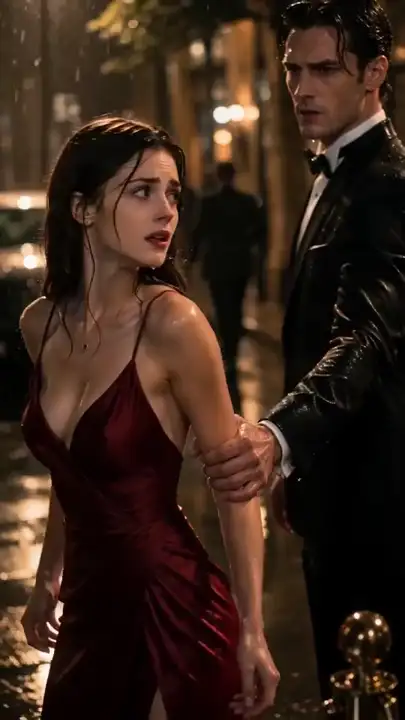
Turn a script into vertical short drama episodes and render the shots with Kling. DramaSo plans the beats, keeps the cast, voices the dialogue and cuts the 9:16 episode; you pick Kling O3, Kling O3 Pro or Kling v2.5 Turbo for each shot.
40
welcome credits
1080p
export
9:16
native vertical
Try it here — no sign-in
Three sample episodes, broken down the way DramaSo builds them: timed beats, a voiced cast and storyboard frames. Tap a card, then make your own version in the studio.
Mocked for three years as the family's live-in son-in-law, he lays one black card on the banquet table — and the room goes silent.
Beat breakdown
Cast & voices
Storyboard frames


Sample cut
Sample breakdowns from DramaSo's showcase — nothing is generated or charged on this page.
She signs a 99-day contract marriage with a cold CEO to save her father's company. He was never supposed to fall first.
Beat breakdown
Cast & voices
Storyboard frames


Sample cut
Sample breakdowns from DramaSo's showcase — nothing is generated or charged on this page.
Betrayed by her fiancé and her sister, she dies — and wakes up on the morning of the same wedding.
Beat breakdown
Cast & voices
Storyboard frames


Sample cut
Sample breakdowns from DramaSo's showcase — nothing is generated or charged on this page.
From script to film
Every stage below is a real DramaSo output. Words are cheap, so you review the hook before any video renders.

Paste a script or one line. Parsing into characters and shots is free.
Hook, conflict, turn, climax and cliffhanger — timed to the second.

Each beat becomes a 9:16 frame you can swap before spending on video.
Frames animate into shots with locked characters and lip-sync.
A captioned 9:16 MP4, ready for TikTok, Reels and Shorts.
Free to start with welcome credits. Plans and credit pricing are on the DramaSo homepage. See pricing →
Kling O3 and O3 Pro produce cinematic shots, but a short drama also needs beats, a consistent cast, dialogue and a vertical edit. DramaSo does that and sends each shot to the Kling model you pick, with the price shown first.
Frames and cuts from DramaSo's showcase — the look your episode starts from.
Kling renders cinematic shots with strong motion. DramaSo turns your script into those shots, keeps characters consistent across them, and assembles a captioned vertical episode.
1080p and the highest Kling quality in the picker, for the shots that matter most. Slower to render.
720p, up to 15 seconds and first/last-frame control, about three times faster than O3 Pro. Good for most dialogue shots.
1080p, a lower-cost Kling option for drafts and B-roll.
Kling sits in the same picker as Seedance 2.0 / 2.5, MiniMax H3, Veo 3.1 and Wan 3.0. Use Kling where its motion fits and another model elsewhere in the same episode.
Each shot shows its credit cost before it runs.
The whole episode plays as dialogue audio before any Kling credits are spent.
Captions are burned into the safe zone for TikTok, Reels and Shorts.
Nothing to install. You only sign in when you generate.
Paste a finished script or type a one-line premise. No sign-in needed to start; the draft is kept when you log in.
DramaSo splits the script into beats and shots and voices every line, so you hear the episode before paying for video.
Pick the video model for each shot, see the credit price, render, and export a captioned vertical MP4.
Creators who want Kling's motion without editing every shot by hand.
Use Kling O3 Pro for the shots with the most movement.
Kling O3 renders 720p dialogue shots about three times faster than Pro.
Kling for action, Seedance or MiniMax H3 for close-ups, all in one episode.
Guides and tools that pair with this model.
Kling is Kuaishou's video generation model family. Kling O3 and O3 Pro generate short cinematic shots from text and images and are popular for AI short drama and music video work.
Write the script, split it into shots, keep reference images for each character, render each shot with Kling, add dialogue and captions, and cut the shots into a 9:16 episode. DramaSo runs those steps in one studio.
FAQ'S
Ask us anything!
40 welcome credits, no card. Paste a script to start.